
Google Forms alternatives for quizzes and tests (2026)

By Motasem Aldiab, Technology Consultant and Trainer - Cloud, DevOps, Java, Data Science
Contents15
- First: is Google Forms already enough?
- Where Google Forms stops
- The scorecard: 7 Google Forms alternatives on 7 published facts
- 1. IntelliAssess: real tests, still inside Google Classroom
- 2. Wayground (formerly Quizizz): free practice with Classroom passback
- 3. Digiexam: supervised exams with ID checks and a lockdown app
- 4. Exam.net: locked exams on any device, for the whole school
- 5. Respondus LockDown Browser: if your tests live in an LMS
- 6. Testportal: free self-marking tests, strongest with Microsoft Teams
- 7. ClassMarker: certificates, paid exams and camera monitoring
- Prices side by side
- Which alternative for which school
- Moving from Google Forms in five steps
- Where IntelliAssess is not the right choice
- How to choose a Google Forms alternative
Key takeaways
- 1First check Google: Gemini in Classroom drafts quizzes on every edition; locked mode secures managed Chromebooks.
- 2For AI rubric grading and identity checks while keeping Classroom: IntelliAssess, which imports Forms quizzes.
- 3For free game-style practice with Classroom passback: Wayground.
- 4For locking devices beyond Chromebooks: Exam.net or Digiexam. For certificates: ClassMarker.
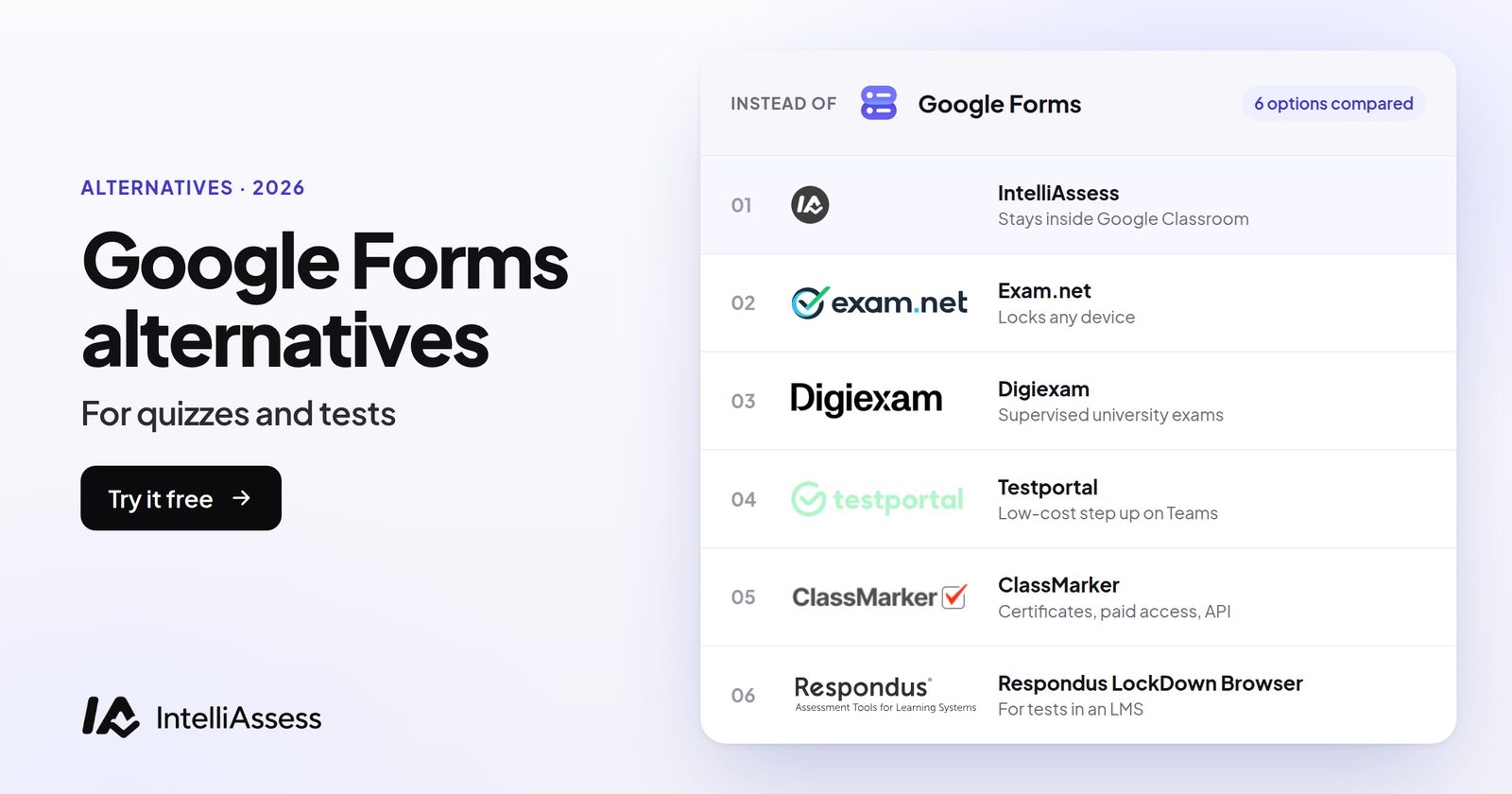
The best Google Forms alternatives for quizzes and tests are IntelliAssess if you want written answers graded by AI against a rubric and identity checks for exams at home while keeping Google Classroom, Wayground for free game-style practice with Classroom grade passback, Exam.net or Digiexam if you need a lockdown browser or app beyond Chromebooks, and ClassMarker for certificates. Before switching, check whether Google already covers you: Forms is free, marks answer-key questions, and Gemini can now draft quizzes. Below are the seven tools scored on the gaps teachers hit most, with every claim linked to the vendor's own page.
First: is Google Forms already enough?
For many quizzes it is. Google Forms comes with Google Workspace for Education Fundamentals, which Google offers free to eligible schools. According to Google's help page on creating and grading quizzes, you can set an answer key on six question types (short answer, multiple choice, checkboxes, dropdown and both grids), add points and written or YouTube feedback to any question, grade by hand with partial points, and release grades at once or after review. Summaries show frequently missed questions and the average, median and range.
Two newer Google features close part of the gap teachers used to switch for:
- Gemini in Classroom is available with all Google Workspace for Education editions and can "generate a quiz" or "create a quick quiz using native Google Forms AI capabilities" from a topic and grade level. Google announced it as free of charge for educators.
- Gemini in Google Forms ("Help me create") can build a whole quiz with correct answers and points from a prompt and your Drive files (Docs, Slides, PDFs). Google's 30 July 2026 announcement lists it for Education Plus and the Teaching and Learning and Google AI Pro for Education add-ons, not for Education Fundamentals.
Where Google Forms stops
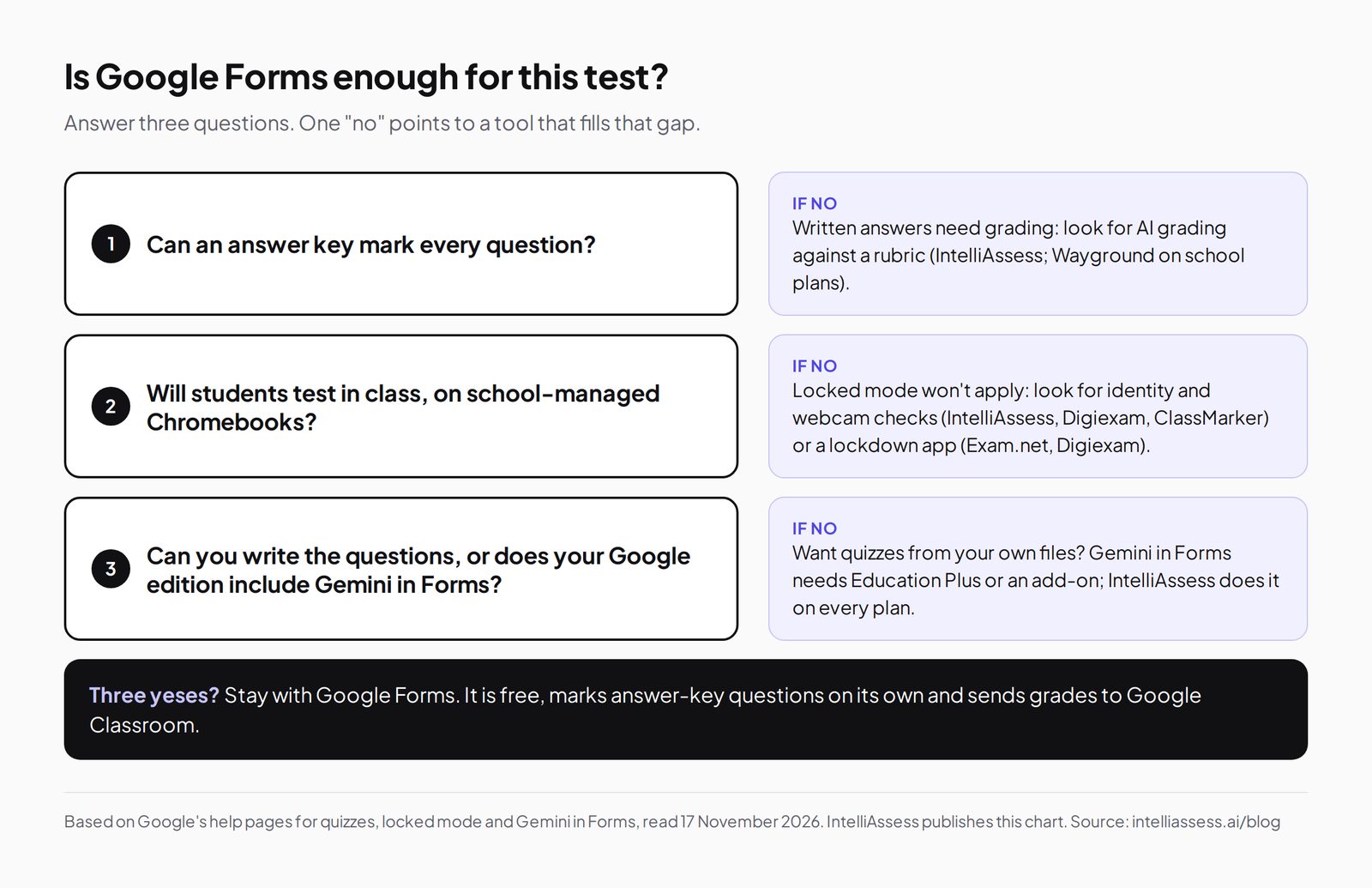
The five gaps that push teachers to another tool, each from Google's own documentation:
- Written answers are marked by hand. Answer keys cover the six types above; paragraph answers are graded by the teacher. Google's quiz help describes no grading against a rubric. Gemini's feedback on written assignments is a Classroom feature on Education Plus or Teaching and Learning, not Forms quiz grading.
- Locked mode only works on school-managed Chromebooks. Google's locked mode page requires "a Chromebook managed by your school for each student" on Chrome OS 75 or later. Unmanaged devices cannot open a locked quiz at all.
- No identity or webcam checks. Locked mode emails you if a student exits the quiz or opens another tab; Google's pages describe no camera, microphone or ID checks, so exams taken at home are on trust.
- AI quiz writing from your own files needs a paid edition. On the free edition, Gemini in Classroom drafts from a topic; building a quiz from your PDFs and slides in Forms needs Education Plus or an add-on, priced on request.
- Classroom grade import has conditions. Per Google's quiz assignment help, the quiz must be the only attachment, students get one response and must be in your domain, the form must collect email addresses, and editing the assignment after posting may block the import.
The scorecard: 7 Google Forms alternatives on 7 published facts
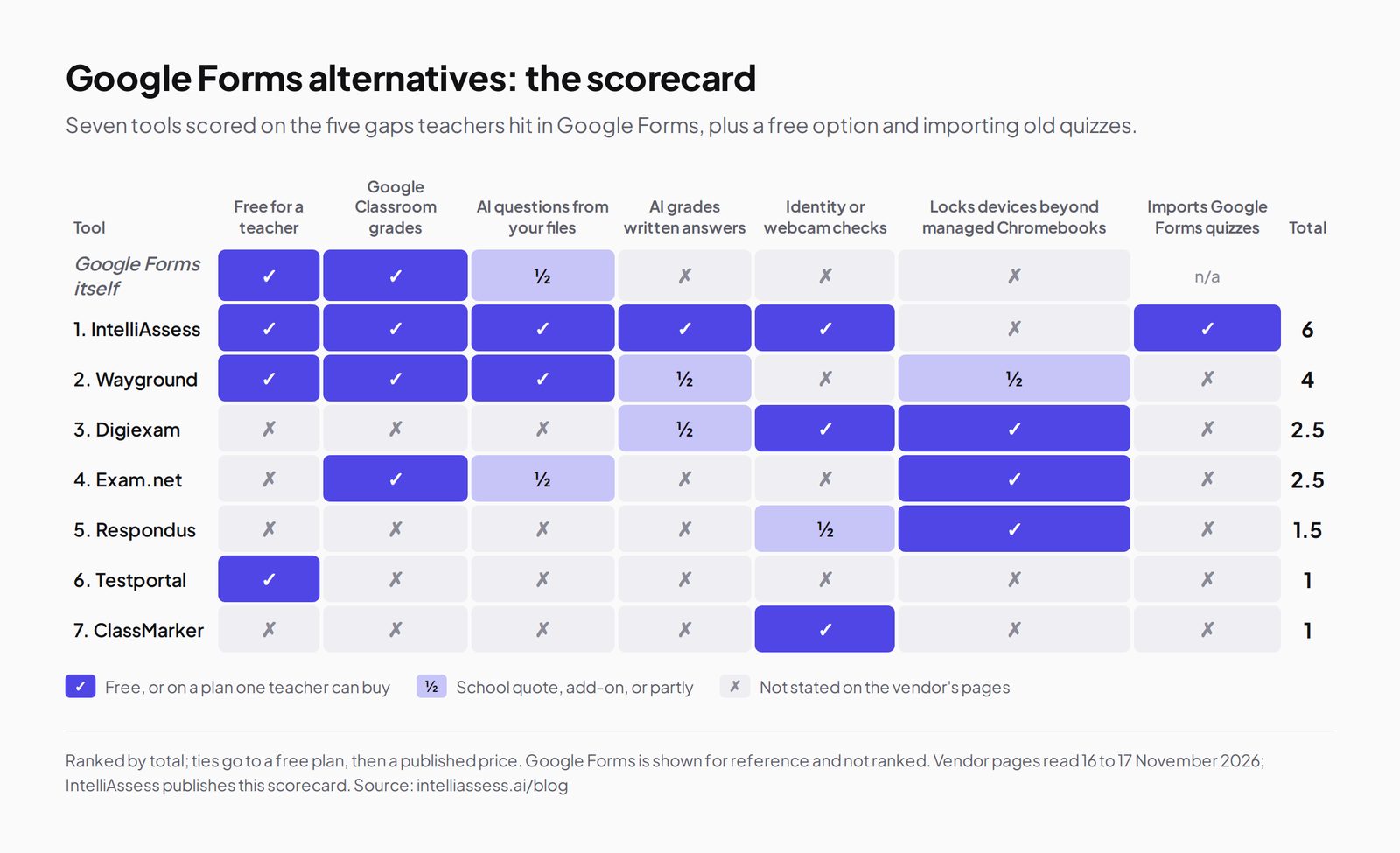
We scored each tool on the five gaps above, plus two things a Google school cares about: a free option and importing the quizzes you already have. A tick means a single teacher can use it free or buy it on a published plan; a half means only on a school quote, as an add-on, or partly; a cross means the vendor's page does not say so. The list follows the total. Ties go to the tool with a free plan, then to a published price.
| Tool | Free for a teacher | Google Classroom grades | AI writes questions from your files | AI grades written answers | Identity or webcam checks | Locks devices beyond managed Chromebooks | Imports Google Forms quizzes | Total |
|---|---|---|---|---|---|---|---|---|
| Google Forms itself | ✓ | ✓ | ½ | ✗ | ✗ | ✗ | n/a | |
| 1. IntelliAssess | ✓ | ✓ | ✓ | ✓ | ✓ | ✗ | ✓ | 6 |
| 2. Wayground | ✓ | ✓ | ✓ | ½ | ✗ | ½ | ✗ | 4 |
| 3. Digiexam | ✗ | ✗ | ✗ | ½ | ✓ | ✓ | ✗ | 2.5 |
| 4. Exam.net | ✗ | ✓ | ½ | ✗ | ✗ | ✓ | ✗ | 2.5 |
| 5. Respondus LockDown Browser | ✗ | ✗ | ✗ | ✗ | ½ | ✓ | ✗ | 1.5 |
| 6. Testportal | ✓ | ✗ | ✗ | ✗ | ✗ | ✗ | ✗ | 1 |
| 7. ClassMarker | ✗ | ✗ | ✗ | ✗ | ✓ | ✗ | ✗ | 1 |
Google Forms' "½" for AI questions: free from a topic via Gemini in Classroom; from your own files only on Education Plus or an add-on. Its "✗" for device locking: locked mode covers managed Chromebooks only.
1. IntelliAssess: real tests, still inside Google Classroom
Best for: teachers whose quizzes became real tests, with written answers to grade and exams sat at home, who want to keep Google Classroom.
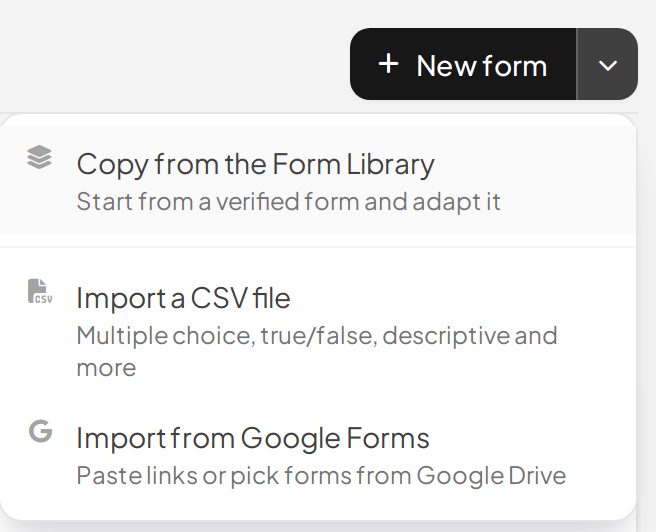
IntelliAssess picks up your existing quizzes: its import page takes Google Form links or IDs, or forms picked from Google Drive, and turns each into an editable test. Its AI quiz generator writes new tests from a topic, your PDF, Word or PowerPoint files, a YouTube video or a web page, across eight question types, and checks every answer key in a second pass. That works on the free plan.
When students hand in, choice questions are marked at once and AI grading scores each written answer against every criterion of its rubric, with a comment per criterion that you can change before students see it. For exams at home, online proctoring checks identity with an ID photo, a selfie and a liveness check, then watches webcam, microphone, screen and browser. Tests publish to Google Classroom as graded assignments, rubrics become Classroom rubrics, and grades (with criterion scores) sync back as drafts or straight to students.
Price (from our pricing page): Free for 25 students; Starter $39 a month for 200, Pro $99 for 500, Intensive $249 for 2,000; yearly billing costs ten months. AI grading and proctoring start on Starter.
Where it falls short: it does not lock the whole device the way locked mode does on a managed Chromebook, proctored tests need a laptop or desktop (not phones or tablets), and there are no certificates or paid exams. See Google Forms vs IntelliAssess.
2. Wayground (formerly Quizizz): free practice with Classroom passback
Best for: engaging practice and quick checks, free for every teacher, with grades back in Classroom.
Wayground's home page says it generates "a full activity" from "a topic, doc, standard, or upload", adds AI-written questions to videos, and lists lockdown mode, tab-switching alerts and academic integrity reports. Its plans page lists Google Classroom roster sync and grade passback, and "full AI grading with custom and state rubrics" on the School and District plan.
Price: Basic is "free for every teacher, forever" (the plan table shows 100 students); School and District plans are quoted.
Where it falls short: AI rubric grading needs a school or district plan, its pages do not say which devices lockdown mode locks, and they describe no webcam or identity checks. See Wayground alternatives.
3. Digiexam: supervised exams with ID checks and a lockdown app
Best for: secondary schools and universities running formal exams that need identity checks, live supervision and locked devices.
Digiexam's proctoring page describes ID verification by face photo or ID document, automated proctoring, and in-person proctors who can watch up to 30 students at once; its site lists a lockdown application and AI-assisted feedback alongside automatic grading of objective questions.
Price: Digiexam Lockdown is published on its pricing page at $1,995 a year ($1,496 with 25% off the first year) or $2.99 per student; the Exam Platform is priced on request.
Where it falls short: no free plan, and its pages do not mention Google Classroom or importing Forms quizzes (Lockdown integrates with Canvas). See Digiexam vs IntelliAssess.
4. Exam.net: locked exams on any device, for the whole school
Best for: schools that need to lock exams on more than Chromebooks, with one licence for every teacher.
Exam.net says it is trusted by over 270,000 teachers. Its pricing page lists three security levels including a lockdown browser, real-time monitoring, background cheat detection, an AI question generator, accommodations such as text-to-speech and a dyslexia font, anonymised answers, and integrations with Google Classroom and Microsoft Teams. Students join with an exam key, without accounts. When we read its pages for our Exam.net comparison on 16 November 2026, its high-security mode locked Chromebooks, Macs, iPads and Windows through its own apps.
Price: a school licence, invoiced annually, on quote, after a 30-day free trial per school. "We don't have a free plan."
Where it falls short: no free plan for a single teacher, and its pages describe no webcam proctoring or AI grading of written answers (marking is automatic by your rules, plus collaborative grading). See Exam.net vs IntelliAssess.
5. Respondus LockDown Browser: if your tests live in an LMS
Best for: schools that give tests inside Canvas, Schoology or another LMS rather than in Forms.
When we read its site for our Respondus comparison on 15 November 2026, Respondus LockDown Browser locked Windows, Mac, Chromebook and iPad during LMS exams, and Respondus Monitor adds automated webcam proctoring as a separate product. It does not write or grade tests. See Respondus alternatives for prices and details.
Where it falls short: it secures LMS quizzes, not Google Forms, and needs an install on each device.
6. Testportal: free self-marking tests, strongest with Microsoft Teams
Best for: a teacher who wants free, self-marking tests with no student accounts, especially in a Microsoft Teams school.
Testportal's education pricing lists Free EDU ("free forever", 100 stored results), an individual EDU plan at $39 a year with unlimited results, and quoted school and university plans. Self-grading covers yes/no, choice and short open-ended questions, and it adds to Microsoft Teams.
Where it falls short: its education plans do not list AI question writing (its business plans do), Google Classroom is not mentioned, and longer answers are marked by hand. See Testportal vs IntelliAssess.
7. ClassMarker: certificates, paid exams and camera monitoring
Best for: tests that need certificates, paid access or an API, such as staff training or courses.
ClassMarker's pricing page uses credits: one each time a test is taken, and ten per camera-monitored attempt. Its ClassMarker Monitor adds camera monitoring, face detection, an ID card requirement and tab-switch detection. Paid plans include custom certificates.
Price: Professional 1 includes up to 400 credits a month (it was $39.95 a month when we read the page on 16 November 2026); credit packs last 12 months; 30-day free trial.
Where it falls short: no free plan, camera monitoring costs ten credits an attempt, and its pages do not describe AI question writing, AI grading or Google Classroom. See ClassMarker vs IntelliAssess.
Prices side by side
Most of these tools have a free option; what differs is what the free plan covers and who pays when you need more.
| Tool | Free option | First paid option | Who usually buys |
|---|---|---|---|
| Google Forms | Included with Education Fundamentals | Gemini in Forms with Education Plus or an add-on, on quote | The school |
| IntelliAssess | 25 students, AI question writing, no proctoring | Starter $39 a month for 200 students, with AI grading and proctoring | A teacher or department |
| Wayground | Basic, free for every teacher | School and District plans on quote | A teacher, then the school |
| Digiexam | None | Lockdown $1,995 a year or $2.99 per student; Exam Platform on quote | The school or university |
| Exam.net | 30-day trial per school | School licence on quote | The school |
| Respondus LockDown Browser | None stated | Institution licence (see our Respondus comparison) | The institution |
| Testportal | Free EDU, 100 stored results | EDU $39 a year | A teacher |
| ClassMarker | 30-day trial | Professional 1 $39.95 a month for 400 credits | A teacher or trainer |
Prices from each vendor's own page, read 16 to 17 November 2026; see each tool's section for the source link.
Which alternative for which school
- A primary or middle-school teacher on Chromebooks who mostly gives quick quizzes: stay with Google Forms and locked mode, and add Wayground for practice.
- A secondary department setting end-of-unit tests with essays, some sat at home: IntelliAssess, so written answers are scored by rubric and identity is checked, with grades back in Classroom.
- A whole school running formal exams on mixed devices (Chromebooks, iPads, laptops): Exam.net or Digiexam, bought centrally.
- A university with exams inside Canvas or another LMS: Respondus LockDown Browser, or Digiexam Lockdown for Canvas.
- An international school teaching in Arabic and English: IntelliAssess, which writes, delivers and grades in both, right to left for Arabic.
- A teacher who also runs staff training with certificates: ClassMarker for the certificates, alongside whatever you use for classes.
Moving from Google Forms in five steps
- Pick one real test with a written answer and one class, rather than migrating everything at once.
- Bring the quiz across. In IntelliAssess, paste the Google Form link or pick it from Drive; the questions come in ready to edit. For other tools, rebuild it or import a CSV where the tool supports it.
- Add what Forms could not do: a rubric for each written answer, and the proctoring checks you need, told to students in advance.
- Publish to Classroom as a graded assignment, so grades still arrive where students and parents expect them.
- Compare after one cycle: marking time, how many students had trouble starting, and whether the scores matched your own judgement.
Where IntelliAssess is not the right choice
- Your students test in class on school-managed Chromebooks and the questions mark themselves: Google Forms with locked mode is free and enough.
- You need to lock devices other than managed Chromebooks: Exam.net, Digiexam or Respondus.
- You want live, game-style practice: Wayground.
- You need certificates or paid exams: ClassMarker.
- Students take proctored tests on phones or tablets: IntelliAssess's proctoring needs a laptop or desktop.
How to choose a Google Forms alternative
- Name the gap. Marking written answers, checking who sat the test, locking devices or writing questions: each points to a different tool above.
- Check the devices. If every student has a managed Chromebook and tests are in class, locked mode may already be enough.
- Check your Google edition. Ask your admin whether you have Education Plus or an add-on; Gemini in Forms may already write quizzes from your files.
- Keep Classroom if it works for you. IntelliAssess, Wayground and Exam.net all connect to it.
- Try one real test. Import an existing Forms quiz, run it with one class and compare marking time.
For a whole department or school, see IntelliAssess for schools; for other tools, browse every comparison.
Frequently asked questions
What is the best Google Forms alternative for tests?
For written answers graded by AI against a rubric and exams at home with identity checks, while keeping Google Classroom, IntelliAssess, which also imports Forms quizzes. For locking any device, Exam.net or Digiexam. For free game-style practice, Wayground.
Is there a free alternative to Google Forms for quizzes?
Yes. Wayground's Basic plan is free for teachers, IntelliAssess has a free plan for 25 students, and Testportal has a Free EDU plan with 100 stored results. Google Forms itself stays free with Education Fundamentals.
Can Google Forms grade essays?
Not automatically. Forms marks questions that have an answer key; longer written answers are graded by the teacher, with partial points and feedback. IntelliAssess grades them with AI against a rubric, and Wayground offers AI rubric grading on its school and district plans.
Does Google Forms have AI quiz generation?
Yes, in two ways. Gemini in Classroom, available on all Workspace for Education editions, can draft a quiz from a topic and grade level. Gemini in Forms can build a quiz from your Drive files, on Education Plus or the Teaching and Learning or Google AI Pro for Education add-ons.
Can Google Forms stop cheating?
Locked mode stops students opening other tabs and apps and emails you if they leave, but only on school-managed Chromebooks. It has no webcam or identity checks.
Can I move my Google Forms quizzes to another tool?
Into IntelliAssess, yes: paste the Google Form links or pick them from Drive, and each becomes an editable test. The other tools here do not describe a Google Forms import on their pages.
Which Google Forms alternative works with Google Classroom?
IntelliAssess publishes tests as Classroom assignments and syncs grades and rubric scores; Wayground lists roster sync and grade passback; Exam.net lists a Google Classroom integration.
Can students take these alternatives on Chromebooks?
Wayground, Testportal and Exam.net (which has a Chromebook kiosk app) all run on Chromebooks. IntelliAssess runs in the browser; its proctored tests need a laptop or desktop with a webcam. Google Forms' locked mode itself only works on school-managed Chromebooks.
How do I stop cheating on a Google Forms quiz?
Inside Google, turn on locked mode for students on school-managed Chromebooks, shuffle question order, and limit each student to one response. For tests at home on personal devices, you need a tool with identity and webcam checks, such as IntelliAssess or Digiexam, or a lockdown app such as Exam.net's.
Do grades from these alternatives go back to Google Classroom?
IntelliAssess publishes tests as Classroom assignments and syncs grades and rubric criterion scores back. Wayground lists Classroom grade passback, and Exam.net lists a Classroom integration. Digiexam, Testportal and ClassMarker do not describe Classroom grade sync on the pages we read.
Is Google Forms good enough for final exams?
For exams sat in class on school-managed Chromebooks with mostly answer-key questions, often yes. For exams with long written answers, or sat at home on personal devices, Forms leaves the marking and the identity checks to you, which is where the alternatives above help.
Keep reading
All articles
Read next
SchoolAI alternatives: 7 AI tools for teachers and students scored (2026)
Seven AI tools scored on the same nine facts, with SchoolAI as the reference, and what each lets teachers see when students use AI.

SchoolAI vs IntelliAssess: an AI tutor for students or feedback after a test?
SchoolAI puts students in supervised conversation with AI; IntelliAssess marks their tests and uses AI to help them learn from their own answers.
Motasem Aldiab 12 min read

Jotform and ProProfs alternatives for quizzes and exams (2026)
Jotform and ProProfs side by side, then the alternatives by forms, certificates or real exams.
Motasem Aldiab 2 min read